Ransomware is malicious software that locks your files or systems and demands payment to unlock them. Many attacks now also steal data first and threaten to publish it. For a small business, a single incident can mean days of downtime, lost revenue, recovery costs and difficult conversations with customers.
The good news is that most ransomware attacks rely on the same few weaknesses: a stolen password, an unpatched system, a convincing phishing email or backups that can’t be restored. Closing those gaps does not require a large security budget. This checklist covers the ten controls that matter most for Canadian small businesses, and what to do if an attack gets through.
How a ransomware attack usually unfolds
Understanding the typical sequence helps explain why each control on the checklist matters. Each stage is an opportunity to stop the attack.
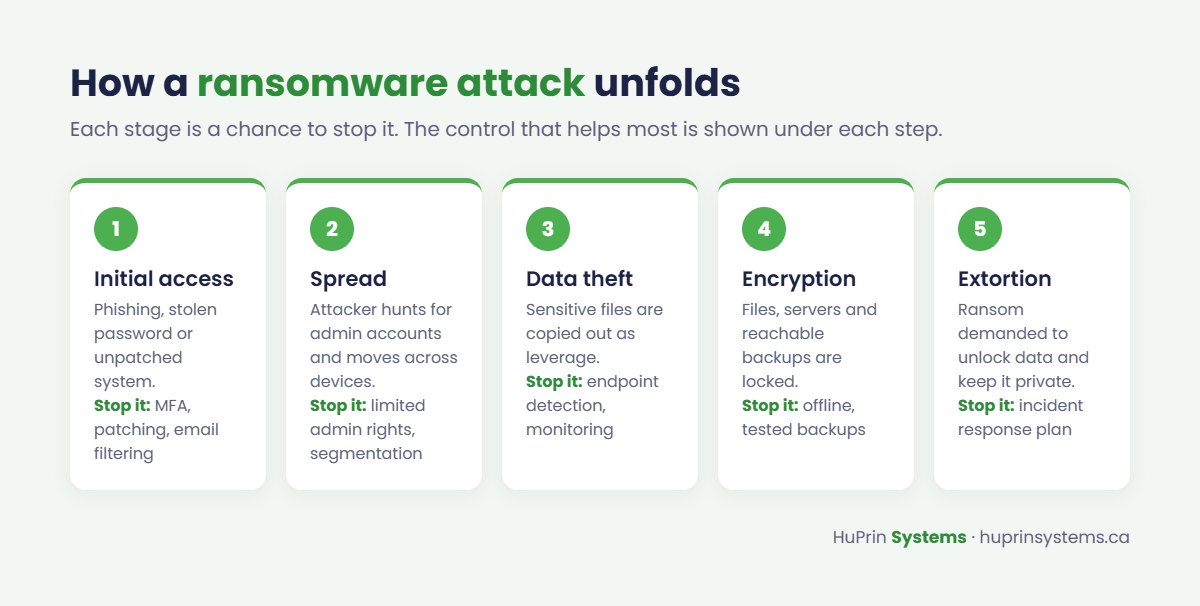
- Initial access. An attacker gets in through a phishing email, a reused or stolen password, or an unpatched remote access system.
- Spread. Once inside, they look for administrator accounts and move to other computers and servers.
- Data theft. Sensitive files are copied out of the network to use as leverage.
- Encryption. Files and systems are locked, and backups that are reachable from the network are often targeted too.
- Extortion. A ransom note demands payment to unlock the data and to keep it from being published.
The 10-point ransomware readiness checklist
1. Turn on multi-factor authentication everywhere
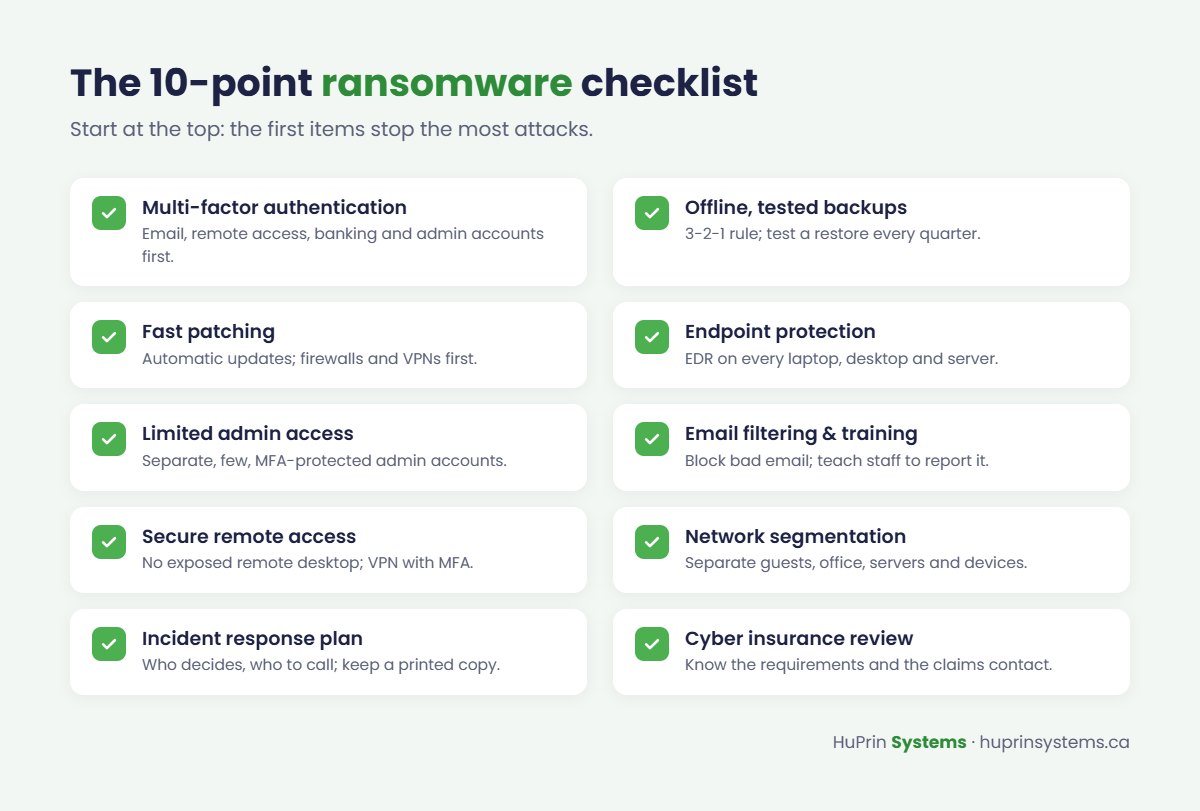
Multi-factor authentication (MFA) stops most attacks that rely on stolen passwords. Start with email and Microsoft 365, remote access, banking and any administrator accounts, then extend it to every system that supports it.
2. Keep offline, tested backups
Follow the 3-2-1 rule: three copies of your data, on two different types of storage, with one copy offline or offsite where ransomware can’t reach it. Test a restore at least every quarter. A backup you have never restored is a hope, not a plan.
3. Patch quickly
Turn on automatic updates for operating systems, browsers and common applications. Pay special attention to firewalls, VPNs and anything exposed to the internet, since these are frequent entry points.
4. Use endpoint protection on every device
Modern endpoint detection and response (EDR) tools can spot and stop ransomware behaviour, not just known viruses. Make sure every laptop, desktop and server is covered and reporting in.
5. Limit administrator access
Staff should use standard accounts for everyday work. Keep administrator accounts separate, few in number and protected with MFA.
6. Filter email and train your team
Email filtering blocks many malicious messages before they arrive. Short, regular security awareness training helps staff recognize the ones that get through, and makes it easy for them to report a suspicious message.
7. Secure remote access
Never expose remote desktop directly to the internet. Use a properly configured VPN or secure remote access service, protected by MFA.
8. Segment your network
Separate guest Wi-Fi, office computers, servers and devices such as cameras and printers, so an infection in one area can’t easily spread to everything else.
9. Write an incident response plan
Decide in advance who makes decisions, who you call for technical help, how you will communicate with staff and customers, and where your insurance and legal contacts are. Keep a printed copy, because your systems may be unavailable during an incident.
10. Review your cyber insurance
Check whether you have cyber coverage, what it requires from you (many policies now require MFA and tested backups) and how to contact the insurer during an incident.
What to do if you are hit
- Isolate affected devices. Disconnect them from the network, but don’t wipe or power them down without guidance, since evidence may be needed.
- Call your IT provider and your insurer. Many insurers have incident response teams you are expected to use.
- Report the attack. The Government of Canada’s Get Cyber Safe guidance recommends reporting to the Canadian Centre for Cyber Security, the Canadian Anti-Fraud Centre and your local police. The same guidance advises against paying the ransom, since payment doesn’t guarantee you will get your data back.
- Restore from clean backups once the cause has been found and fixed.
Your privacy obligations under PIPEDA
If a ransomware attack involves personal information about customers or employees, Canada’s federal private-sector privacy law, PIPEDA, may require you to act. When a breach creates a real risk of significant harm to individuals, organizations must report it to the Office of the Privacy Commissioner of Canada and notify the affected individuals. You must also keep a record of every breach of security safeguards for 24 months, whether or not it was reportable.
Some provinces, including Alberta, have their own privacy laws that may apply instead of or alongside PIPEDA, and health information has additional rules. If you are unsure which apply to you, speak with a privacy lawyer.
Get a ransomware readiness review
HuPrin Systems helps businesses across Canada put these controls in place, from MFA and tested backups to endpoint protection, firewall management and incident planning. Our security practices are designed by certified cloud security engineers. Learn more about our managed IT and security services, or book a free assessment and we’ll show you where your gaps are.